Creating Registrations Between JSD Server Projects and Splunk Servers
On this page:
Related pages:
Related links:
Prerequisites
- Obtain administrator access to JSD.
- Install and configure the JSD add-on.
- Add Splunk server connections.
Procedure
- Click the gear icon, and then click Applications.
Under Integrations, click RealTime Splunk Connector for JIRA.
- Click the Registrations tab.
- Click the plus icon
 .
. On the Add Registration page, configure the registration details.
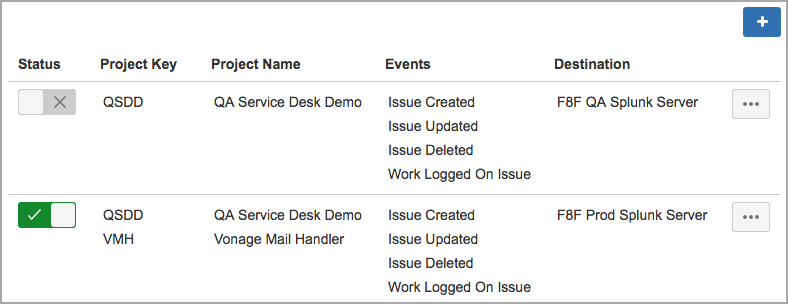
Field Description Projects Add any combination of projects for which you want to send issues to a Splunk server.
Splunks Add any combination of Splunk servers to receive issues from the selected projects. Events Select which events will trigger the add-on to automatically send Jira data to the Splunk servers. For example, if you want Jira to send data to the selected Splunk servers whenever an issue in one of the selected projects is updated, select the Issue Updated check box. - Click Save Registration.
- Repeat steps 3 – 7 for every combination of projects and servers you want to add.
Next Steps
Activate the registrations and associated Splunk server connections.
, multiple selections available, Use left or right arrow keys to navigate selected items